1. What Is gs1:menuInfo?
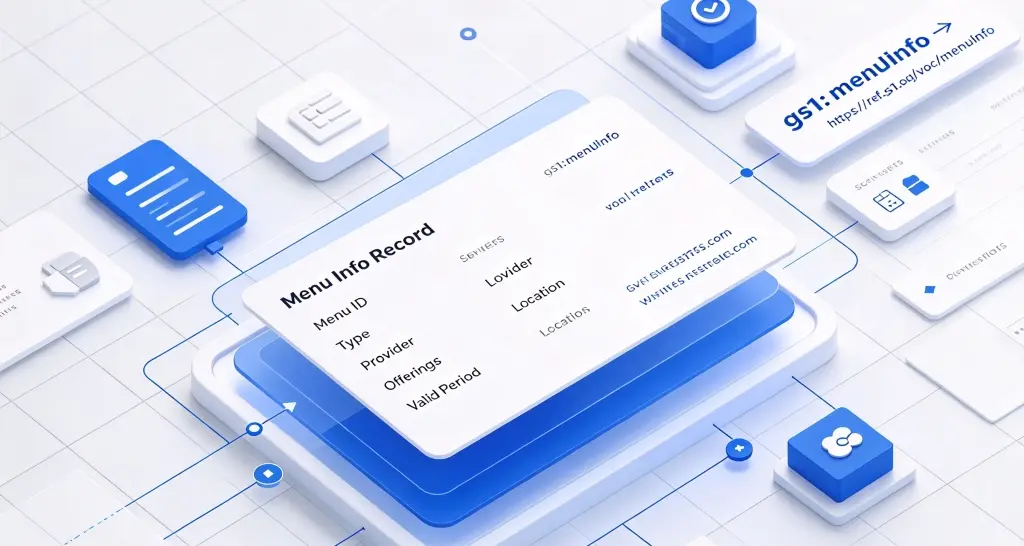
gs1:menuInfo is a link type within the GS1 Digital Link framework specifically designed to connect an organisation or location with its menu details. According to the official definition in the GS1 Web Vocabulary, it is “a link to menu details. This may include food menus, services, or other offerings provided by an organisation or at a location.”
To understand gs1:menuInfo, we first need to grasp the basic concept of GS1 Digital Link: by converting GS1 identifiers – such as Global Location Numbers (GLN), Global Trade Item Numbers (GTIN), and Global Service Relation Numbers (GSRN) – into standard web URIs, every entity (location, product, organisation) obtains a persistent and resolvable web address. Through a compliant resolver, the same identifier can be linked to multiple different information sources.
Within this information distribution layer, gs1:menuInfo plays a standardised gateway role for menus and service catalogs. The page it points to typically contains:
- Food menus – dish lists for restaurants, cafés, and hotel dining
- Service catalogs – service items and prices for beauty salons, gyms, repair services, etc.
- Product catalogs – lists of orderable products or services provided by a location or organisation
- Packages and combinations – holiday packages, member exclusives, bundled offers
Differentiation from Related Link Types
Within the GS1 link type system, gs1:menuInfo has a clear and distinct role from several common link types, as explicitly clarified in the GS1 official definition:
| Link Type | Question It Answers | Content Characteristics |
|---|---|---|
gs1:menuInfo | “What is available?” | Complete list of dishes, services, packages, prices |
gs1:allergenInfo | “What allergens does it contain?” | Allergen‑specific information only |
gs1:nutritionalInfo | “How much nutrition does it have?” | Nutritional data only |
gs1:ingredientsInfo | “What is it made of?” | Ingredient list only |
The GS1 official definition explicitly states: for details specific to allergens only, use gs1:allergenInfo; for details specific to nutrition information only, use gs1:nutritionalInfo; for details specific to ingredients only, use gs1:ingredientsInfo.
gs1:menuInfo, by contrast, is a comprehensive menu/service catalog gateway – it provides the panoramic view of “what is available,” while the specialised link types above provide the detail view of “what should I be aware of for a specific item.” Together, they cover the complete decision chain from “what to choose” to “choosing with confidence.”
2. Users of gs1:menuInfo and Its Core Value
2.1 For Restaurants and Hotels: Digital Upgrade of Menus
Traditional pain point: Paper menus are costly to update, difficult to maintain in multiple languages, pose hygiene concerns as contact‑based menus, and offer limited dish information (no images, allergens, or nutritional details).
Value of gs1:menuInfo:
- Dynamic updates – Dish changes, price adjustments, seasonal specials – all updated in the cloud, no need to reprint menus
- Automatic multilingual adaptation – Foreign tourists scan and automatically receive menus in their native language
- Contactless experience – Customers scan to browse the menu without touching a physical menu
- Rich presentation – Can include dish images, videos, allergen alerts, and nutritional information links
2.2 For Service Businesses: Transparency in Service Catalogs and Pricing
Traditional pain point: Service items and prices at beauty salons, gyms, and repair services are often opaque, requiring customers to call or visit in person to inquire.
Value of gs1:menuInfo:
- Price transparency – Customers scan to view the complete list of services and prices
- Service details – Duration, content, and notes for each service at a glance
- Online booking – Can work with
gs1:scheduleTimeto enable a one‑stop “view service → book directly” experience
2.3 For Retailers and Brands: A Digital Entry to Product Catalogs
Traditional pain point: Product catalogs displayed in stores or at trade shows are often printed materials with limited information that is hard to update.
Value of gs1:menuInfo:
- Complete catalog – Customers scan to view the brand’s full product catalog
- Real‑time availability – Can work with
gs1:hasRetailersto show purchasing channels for each product - Personalised recommendations – Recommend related products based on user browsing history
2.4 For Consumers: An Experience Upgrade from “Asking” to “Self‑Service”
Traditional pain point: Customers at restaurants or service venues must wait for staff to introduce the menu, ask about dish details, and confirm prices – long wait times and high communication costs.
Value of gs1:menuInfo:
- Self‑service browsing – Scan to view the complete menu without waiting
- Complete information – Dish images, prices, allergens, and nutritional information all in one place
- Multilingual support – Automatically receives the native language version during cross‑border visits
2.5 Information Never Goes Out of Date
Traditional menus are fixed once printed. Discontinued dishes, price adjustments, new seasonal specials – printed menus cannot be modified and must be reprinted.
With gs1:menuInfo, the QR code is fixed, but the menu content behind it can be updated at any time. Restaurants only need to make one change in the resolver backend, and all QR codes already in circulation immediately point to the latest menu information.
3. Typical Application Scenarios
Scenario 1: Restaurant Chains – A “Contactless Menu” Available with a Scan
A restaurant chain prints GS1 QR codes containing gs1:menuInfo on every table, at the entrance, and on takeaway packaging (linked to the store’s GLN). Customers scan and can:
- Browse the complete menu – Organised by category (appetisers, main courses, desserts, drinks)
- View dish details – Images, prices, allergens, spiciness level, recommended pairings
- Multilingual adaptation – International customers automatically receive English or other language versions
- Order online – Integrated with the ordering system for direct ordering
When the restaurant updates its menu, only the cloud content needs changing – the QR codes in all stores immediately point to the new menu, with no materials requiring reprinting.
Scenario 2: Hotels – A Comprehensive Menu from Room Service to Dining
A luxury hotel prints GS1 QR codes containing gs1:menuInfo on in‑room service guides, restaurant entrances, and key card holders (linked to the hotel’s GLN). Guests scan and can:
- Room service menu – Dishes and drinks available 24 hours
- Restaurant menus – Menus and opening hours for each restaurant in the hotel
- SPA service catalog – Massage, beauty, and fitness service items and prices
- Local experiences – Hotel‑recommended nearby restaurants and activities
A single QR code covers all consumption choices available to guests within the hotel.
Scenario 3: Beauty and Wellness Services – A Transparent Service Catalog
A beauty salon chain prints GS1 QR codes containing gs1:menuInfo at store entrances, waiting areas, and on membership cards (linked to the store’s GLN). Customers scan and can:
- View the service catalog – All facial care, body care, nail, and eyelash services
- Learn prices and durations – Price, duration, and description for each service
- View package combinations – Holiday packages, member exclusives, new customer trial prices
- Book online – Works with
gs1:scheduleTimeto book a service time directly
Price transparency significantly reduces customers’ inquiry costs and decision hesitations, improving booking conversion rates.
Scenario 4: Trade Shows and Pop‑Up Stores – Digital Display of Product Catalogs
A consumer goods brand prints GS1 QR codes containing gs1:menuInfo at trade show booths and pop‑up store display racks. Visitors scan and can:
- Browse the complete product catalog – All products on display plus new products not exhibited
- View product details – Specifications, prices, launch dates
- Get purchasing channels – Works with
gs1:hasRetailersto show online and offline purchase channels - Leave contact details – Interested in a product, leave information for follow‑up
After the trade show ends, the QR code remains valid – visitors can continue browsing the product catalog, and the brand gains ongoing exposure opportunities.
4. Complete Usage Example
Below is a JSON example of how a restaurant chain configures gs1:menuInfo link data in a GS1‑compliant resolver for a specific store:
{
  "anchor": "/414/06933960552835",
  "itemDescription": "Yunwei Restaurant – Shanghai Nanjing West Road Store",
  "defaultLinktype": "gs1:locationInfo",
  "links": [
    {
      "linktype": "gs1:locationInfo",
      "href": "https://locations.example.com/shanghai/nanjing-west",
      "title": "Store Location & Directions",
      "type": "text/html",
      "hreflang": ["zh-CN"],
      "context": ["consumer", "navigation"]
    },
    {
      "linktype": "gs1:menuInfo",
      "href": "https://menu.example.com/shanghai/nanjing-west",
      "title": "Menu – Yunwei Restaurant Nanjing West Road",
      "type": "text/html",
      "hreflang": ["zh-CN"],
      "context": ["dining", "consumer"]
    },
    {
      "linktype": "gs1:menuInfo",
      "href": "https://menu.example.com/en/shanghai/nanjing-west",
      "title": "Menu – Yunwei Restaurant Nanjing West Road",
      "type": "text/html",
      "hreflang": ["en"],
      "context": ["dining", "consumer"]
    },
    {
      "linktype": "gs1:allergenInfo",
      "href": "https://menu.example.com/shanghai/nanjing-west/allergens",
      "title": "Allergen Information",
      "type": "text/html",
      "hreflang": ["zh-CN"],
      "context": ["safety", "dining"]
    },
    {
      "linktype": "gs1:scheduleTime",
      "href": "https://booking.example.com/shanghai/nanjing-west",
      "title": "Book a Table Online",
      "type": "text/html",
      "hreflang": ["zh-CN"],
      "context": ["booking", "reservation"]
    }
  ]
}
Field Descriptions
| Field | Meaning |
|---|---|
anchor | The resolver’s routing anchor. 414/ is followed by the GLN (Global Location Number), indicating a location entity. |
defaultLinktype | The default fallback link type. Scans default to gs1:locationInfo. |
linktype | The link type – here gs1:menuInfo, indicating a menu information link. |
href | The URL of the menu page, containing dishes, services, prices, etc. |
title | The link title, displayed by the resolver or scanning tool. |
type | Content type, typically text/html. |
hreflang | Language adaptation – returns the appropriate language version of the menu based on the user’s language preference. |
context | Context tags for distinguishing different purposes (e.g., “dine‑in menu” vs. “takeaway menu”). |
User Scanning Workflow
- Scan – A customer scans the GS1 QR code on the table or at the store entrance using a GS1‑compatible scanning tool (phone camera, WeChat, etc.).
- Resolution – The scanning tool sends a request to the GS1 resolver, which matches the most appropriate link based on parameters such as
linkType=gs1:menuInfo. - Redirect – The system directs the user to the store’s dedicated menu page.
- Browse and Order – The customer browses dishes, views details, checks allergen information, and can order or book directly.
Advantages of This Approach
- Concise QR code – the code contains only the GLN base path; all menu content is configured in the cloud.
- Dynamic distribution – the same QR code automatically returns the Chinese or English menu based on
hreflang. - Instantly updatable – dish changes or price adjustments only require backend changes – no menu reprinting.
- Integration with specialised link types – can work with
gs1:allergenInfo,gs1:nutritionalInfo, andgs1:ingredientsInfoto provide complete dish information. - Integration with booking systems – can work with
gs1:scheduleTimeto enable a one‑stop “view menu → book directly” experience. - Traceable data – the resolver backend can track access statistics for each
gs1:menuInfolink.
Summary
gs1:menuInfo is a standardised link type within the GS1 Digital Link ecosystem that directly serves the digitalisation of menus and service catalogs. With its definition – “a link to menu details. This may include food menus, services, or other offerings provided by an organisation or at a location.” – it builds a standardised, updatable, and multilingual information bridge between organisations, locations, and consumers.
While location information answers “where is it,” menu information answers the question consumers care about most once they arrive: “What is available?”
Whether it’s a restaurant chain offering a contactless menu with a scan, a hotel covering all guest consumption choices, a beauty salon making its service catalog and pricing transparent, or a brand displaying its complete product catalog at a trade show, gs1:menuInfo offers organisations a standardised, scalable, and low‑cost way to distribute menus and service catalogs – turning every scan into a clear and convenient selection experience.