1. What Is gs1:instructions?
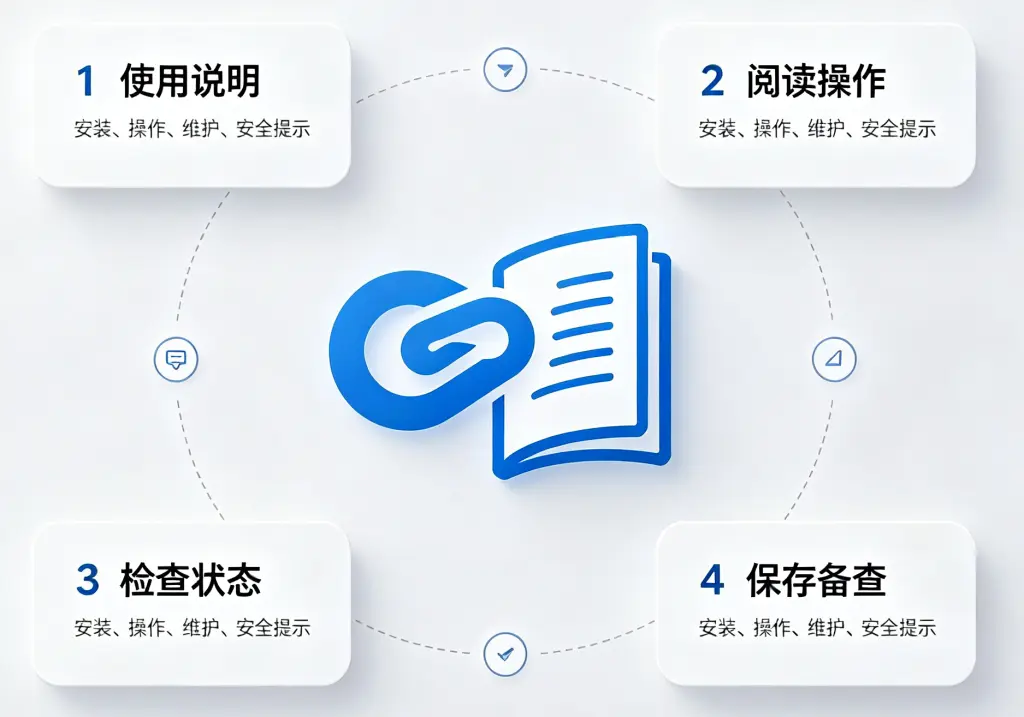
gs1:instructions is a link type within the GS1 Digital Link framework specifically designed to connect a product with its usage instructions. According to the official GS1 definition, it is “a link to instructions, such as assembly instructions, usage tips, etc.”
To understand gs1:instructions, we first need to grasp the basic concept of GS1 Digital Link: by converting GS1 identifiers – such as GTINs – into standard web URIs, every product obtains a persistent and resolvable web address. Through a compliant resolver, the same product identifier can be linked to multiple different information sources.
Within this information distribution layer, gs1:instructions plays a standardised gateway role for usage instructions. The page it points to typically contains the product’s instructions, which may include:
- Assembly instructions – step‑by‑step guides for furniture, toys, or machinery
- Usage tips – proper methods and best practices for using the product
- Operating guides – workflows for electronic devices or tools
- Maintenance and care – cleaning, upkeep, and troubleshooting
Differentiation from Related Link Types
In the GS1 link type system, gs1:instructions has a clear and distinct role from several common link types:
| Link Type | Question It Answers | Content |
|---|---|---|
gs1:pip (Product Information Page) | What is the product? | Descriptions, specifications, features |
gs1:instructions | How is it used? | Assembly steps, operating guides, usage tips |
gs1:faqs | What if I have a problem? | Common questions and answers |
gs1:consumerHandlingStorageInfo | How should I store it? | Storage temperature, shelf life, handling |
If gs1:pip is the “product business card” and gs1:faqs is the “Q&A collection,” then gs1:instructions is the “product user manual” – it tells consumers how to use the product correctly and safely.
⚠️ Important Note: Restrictions for Healthcare
According to GS1’s clear specification, gs1:instructions is not appropriate for healthcare regulated content applications, because specific link types are already available for that domain. For medical devices, gs1:eifu (electronic Instructions for Use) should be used; for pharmaceuticals, gs1:epil (electronic Patient Information Leaflet) should be used. This distinction ensures the professionalism and regulatory compliance of healthcare content.
2. Core Value of gs1:instructions
2.1 Breaking the Physical Limits of Packaging
Traditional product instructions are often compressed onto a small slip of paper inside the packaging – with tiny fonts that require a magnifying glass and content so abbreviated that only the most basic steps are covered. For complex furniture or feature‑rich electronics, paper manuals have very limited capacity.
gs1:instructions removes this limitation. Brands can maintain a complete, detailed, and always‑up‑to‑date instruction set in the cloud, accessible to consumers with a single scan. Whether it’s an illustrated assembly guide, a video demonstration, or a multilingual manual, all of this can be delivered through this link type.
2.2 “One QR Code, Multiple Information Types”
A core feature of GS1 Digital Link is “one code, multiple information types”. The same QR code can simultaneously link to a product information page (gs1:pip), usage instructions (gs1:instructions), and more. Scanning apps or tools can request a specific information type by including linkType=gs1:instructions as a query parameter in the URI.
This means: the same QR code – consumers see product details, service technicians see disassembly guides, and apps automatically retrieve structured data. One code, meeting everyone’s needs.
2.3 Information Never Goes Out of Date
Once printed, traditional paper instructions are fixed forever. If the product is upgraded, usage methods are improved, or new safety warnings emerge, millions of printed leaflets cannot be changed.
With gs1:instructions, the QR code is fixed, but the content behind it can be updated at any time. Product iterations, process optimisations, or new safety tips – all changes are made once in the cloud, and every QR code already on the market immediately points to the latest version.
2.4 Multimedia Support for a Better User Experience
Paper manuals can only present static text and images. With gs1:instructions, brands can offer:
- Video tutorials – dynamic demonstrations that are far more intuitive than text
- Interactive guides – step‑by‑step clicks so users never miss a step
- Zoomable diagrams – every component detail is crystal clear
- Multilingual versions – automatically adapted to the user’s language
This multimedia approach greatly reduces the learning curve and dramatically improves the out‑of‑box experience.
2.5 Lower Printing and Logistics Costs
For products sold globally, paper manuals require multiple language editions, consume valuable packaging space, and incur high warehousing and shipping costs. With gs1:instructions:
- No need to print different language versions for each market
- No need to include thick paper booklets inside the package
- Updates require no reprinting or redistribution
This not only saves money but is also environmentally friendly – reducing paper waste and transport emissions.
3. Typical Application Scenarios
Scenario 1: Furniture Brands – Digital Assembly Instructions
A flat‑pack furniture brand prints GS1 QR codes containing gs1:instructions on every product’s packaging. After purchase, consumers scan the code and get:
- 3D interactive assembly guides – each step shown with clear 3D animations
- Tool lists – what tools are needed, at a glance
- Common assembly pitfalls – which steps are error‑prone and how to avoid mistakes
- Video tutorials – real‑life demonstrations of the full assembly process
Compared to the dense line‑drawings and barely legible numbers of traditional paper manuals, digital assembly guides make DIY assembly easy and enjoyable, significantly reducing return rates caused by assembly difficulties.
Scenario 2: Smart Home Products – Real‑Time Instruction Updates
A smart home brand uses GS1 QR codes with gs1:instructions on its products. When the app updates, device firmware is upgraded, or operating procedures are improved, the brand simply updates the content in the cloud. Users scanning the code always get the latest operating instructions – no need to refer to outdated paper manuals.
For example, after an app update changes the Wi‑Fi setup steps for a smart plug, the brand updates the cloud content, and all QR codes already on the market immediately point to the new connection guide – users never get confused by outdated instructions.
Scenario 3: Electronics – Precision Targeting of Repair Guides
A consumer electronics brand prints GS1 QR codes containing gs1:instructions on both the product body and its packaging (GTIN + serial number). Different roles see different content:
- Ordinary consumers scan → see daily usage guides and tips
- Service engineers scan → see detailed disassembly guides, parts diagrams, and troubleshooting workflows
- Customer support staff scan → see standardised troubleshooting scripts and solutions
The same QR code, with different linkType parameters, delivers precise information to different roles.
Scenario 4: Toy Brands – Clear Safety Guidance
A children’s toy brand uses GS1 QR codes with gs1:instructions on its packaging. Parents scanning the code can see:
- Assembly instructions – how to correctly put the toy together
- Safety tips – age suitability, small parts warnings, battery safety
- Cleaning and care – how to clean and disinfect the toy
- Troubleshooting – what to do if the toy stops working
In the toy industry, clear safety instructions directly affect children’s safety. gs1:instructions lets brands communicate safety information in a more intuitive and comprehensive way.
4. Complete Usage Example
Below is a JSON example of how a furniture brand configures gs1:instructions link data in a GS1‑compliant resolver for a specific product:
{
  "anchor": "/01/06933960552835",
  "itemDescription": "CloudWood Bookshelf – Assembly‑Ready Solid Wood Bookshelf",
  "defaultLinktype": "gs1:pip",
  "links": [
    {
      "linktype": "gs1:pip",
      "href": "https://www.example.com/product/12345",
      "title": "Product Details",
      "type": "text/html",
      "hreflang": ["zh-CN"],
      "context": ["general"]
    },
    {
      "linktype": "gs1:instructions",
      "href": "https://instructions.example.com/shelf/assembly",
      "title": "Assembly Instructions – Guide & Video",
      "type": "text/html",
      "hreflang": ["zh-CN"],
      "context": ["assembly", "diy"]
    },
    {
      "linktype": "gs1:instructions",
      "href": "https://instructions.example.com/en/shelf/assembly",
      "title": "Assembly Instructions – Guide & Video",
      "type": "text/html",
      "hreflang": ["en"],
      "context": ["assembly", "diy"]
    },
    {
      "linktype": "gs1:instructions",
      "href": "https://instructions.example.com/shelf/maintenance",
      "title": "Care & Maintenance Guide",
      "type": "text/html",
      "hreflang": ["zh-CN"],
      "context": ["maintenance"]
    }
  ]
}
Field Descriptions
| Field | Meaning |
|---|---|
anchor | The resolver’s routing anchor, corresponding to the GTIN. When a scan hits this path, the resolver looks for matching link rules. |
defaultLinktype | The default fallback link type. If no specific condition matches, it redirects to this link (usually a product details page). |
links | The core array of rules, allowing multiple links to be configured. |
linktype | The link type – here gs1:instructions, indicating an instructions link. |
href | The URL of the instructions page, containing assembly guides, operating manuals, etc. |
title | The link title, displayed by the resolver or scanning tool. |
type | Content type, typically text/html, but also supports video, PDF, and other formats. |
hreflang | Language adaptation – returns the appropriate language version based on the browser’s language preference. |
context | Context tags for further refinement (e.g., distinguishing “assembly” from “maintenance” sub‑scenarios). |
User Scanning Workflow
- Scan – The consumer scans the GS1 QR code on the product packaging using a GS1‑compatible scanning tool (phone camera, WeChat, etc.).
- Resolution – The scanning tool sends a request to the GS1 resolver, which matches the most appropriate link based on parameters such as
linkType=gs1:instructions. - Redirect – The system directs the user to the brand’s dedicated instructions page.
- Browse – The user views the assembly guide, operating instructions, maintenance tips, etc. – with rich media, video, and interactive features.
Advantages of This Approach
- Concise QR code – the code contains only the base path (e.g.,
/01/06933960552835); all instructions are configured in the cloud. - Dynamic distribution – the same QR code automatically returns the Chinese or English version based on
hreflang, and different content based oncontext. - Instantly updatable – product upgrades or process optimisations only require changes in the backend – no reprinting of packaging.
- Multimedia ready – can link to text, images, video, 3D interactive guides, and more.
- Multiple links coexist – the same GTIN can simultaneously support
gs1:pip,gs1:instructions,gs1:faqs, and other link types. - Traceable data – the resolver backend can track access statistics for each
gs1:instructionslink.
Summary
gs1:instructions is a standardised link type within the GS1 Digital Link ecosystem that directly serves product usage experiences. With its clear definition – “a link to instructions” – it builds a standardised, updatable, and multimedia‑ready information bridge between products and consumers.
While product details pages answer “what it is” and FAQs answer “what if I have a problem,” gs1:instructions answers the core question consumers face when using a product: “How do I use it?”
Whether it’s a furniture brand upgrading cumbersome assembly manuals into interactive 3D guides, a smart home brand keeping instructions in sync with product updates, an electronics brand delivering precise content to different roles, or a toy brand communicating safety information more intuitively, gs1:instructions offers brands a standardised, scalable, and low‑cost way to distribute usage instructions – turning every scan into a clear, intuitive, and timely guidance session.