1. What Is GS1:homepage
gs1:homepage is one of the standardized link types in GS1 Digital Link, used to connect an organization or brand with its official information page. Per the GS1 Web Vocabulary definition, it is “a link to general information about an organization or brand.”
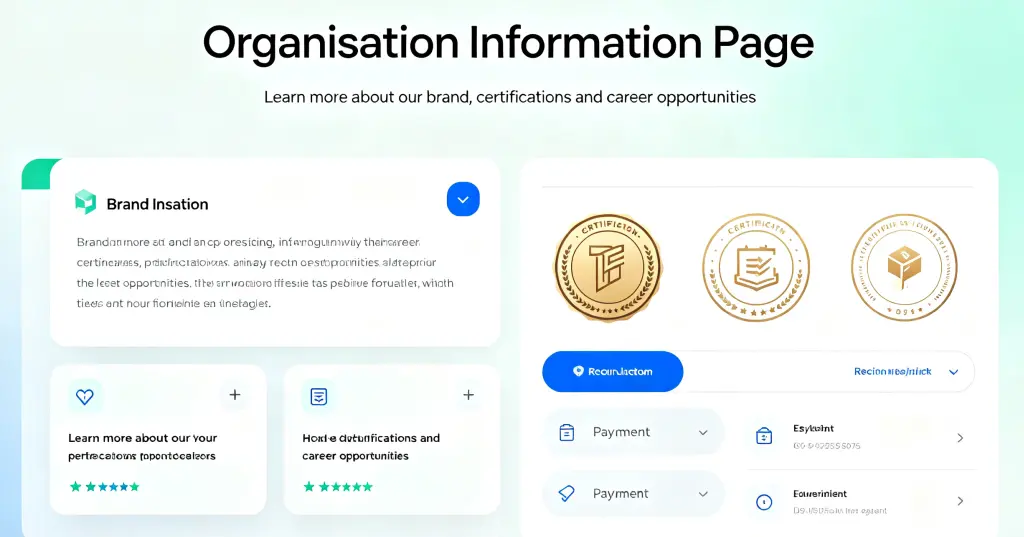
Usually, it points to the brand’s official homepage — the familiar official URL. But GS1’s definition is broader: this page “may include links to further information, such as certification, recruitment, payment, booking, and so on.” So it’s both the brand’s front door and the entry point to a wide range of deeper information.
The basic idea behind GS1 Digital Link: GS1 identifiers like GTIN and GLN are converted into standard Web URIs, giving every entity (product, location, organization) a resolvable network address. The same identifier can point to multiple information sources.
In the link type system, each link corresponds to a specific information need: gs1:pip answers “what is the product,” gs1:instructions answers “how to use it,” gs1:certificationInfo answers “who certifies it.” gs1:homepage answers: “Who is this brand? Where is its official site?”
2. Why Use It
2.1 The Brand’s Digital Business Card
The official website is the most direct way for consumers to learn about a brand. But the URL printed on packaging is often just a small line of text in an inconspicuous spot — awkward to type on a phone.
gs1:homepage embeds the official URL directly in the product QR code. One scan takes consumers straight to the site — no memorizing, no typing. It’s the entry point for building a first impression.
2.2 A Master Navigation to All Information
Modern brand sites hold far more than an intro page: brand story, product lines, stores, careers, customer service, certifications, online shops — dozens of content types.
gs1:homepage is defined as a “link to general information” rather than to a specific piece of content, precisely because it acts as a master navigation. From the homepage, consumers can explore all the brand’s digital assets — certifications, recruitment, payments, bookings — all reachable from the front door.
2.3 Information That Never Goes Stale
A URL printed on packaging is fixed once printed. If the brand changes its domain or redesigns its site, the printed URL becomes outdated — and the packaging can’t be changed.
With gs1:homepage, the QR code stays the same but the URL behind it can be updated at any time in the resolver backend. Domain change, site redesign, even switching to an entirely new site — one cloud update, and every existing QR code points to the new address.
2.4 One Code, Multiple Audiences
The same QR code serves different people differently:
- Consumers scan → brand story, product lines, store info
- Job seekers scan → enter the “Careers” page, view openings
- Partners scan → find contact info, partnership entry points
- Investors scan → view company profile, financials, news
3. Typical Use Cases
Case 1: CPG Brand — Product as Brand Gateway
A craft brewery “CloudBrew” prints GS1 QR codes with gs1:homepage on every bottle. A consumer tries the beer at a restaurant and likes it — one scan takes them to the official site, where they can read the brand story, browse the full product line, find purchase channels, and sign up for tasting events. One bottle, connected to the whole brand.
Case 2: Healthcare Institution — Information Bridge Between Patients and the Institution
A large hospital uses GS1 QR codes with gs1:homepage on medication packaging, visit cards, and in-facility signage (linked to the hospital’s GLN). Patients scan and reach the hospital’s official site, where they get department introductions, specialist schedules and appointment booking, insurance policies, health education, and announcements. In healthcare, information transparency directly affects trust.
Case 3: B2B Industrial Company — Showing Company Strength
A precision instrument manufacturer prints GS1 QR codes with gs1:homepage on every device. Procurement engineers scan and reach the company site, where they can view qualifications and certifications (ISO, CE, etc.), technical white papers, after-sales networks, and company news. B2B purchasing requires understanding the overall strength of the supplier, so each device becomes a display window for the company.
Case 4: Retail Chain — Every Store as a Brand Center
A chain coffee brand prints GS1 QR codes with gs1:homepage on menus, cup sleeves, and loyalty cards (linked to store GLNs or the brand’s GSRN). Customers scan and reach the official site, where they can view the full menu, loyalty points and offers, nearby stores, and place online orders. Every cup, every loyalty card — all entrances to the brand.
4. Full Usage Example
Here is a JSON example of a CPG brand configuring gs1:homepage in a GS1-compliant resolver:
{
  "anchor": "/01/06933960552835",
  "itemDescription": "CloudBrew IPA 330ml",
  "defaultLinktype": "gs1:pip",
  "links": [
    {
      "linktype": "gs1:pip",
      "href": "https://www.example.com/product/12345",
      "title": "Product Detail Page",
      "type": "text/html",
      "hreflang": ["zh-CN"],
      "context": ["general"]
    },
    {
      "linktype": "gs1:homepage",
      "href": "https://www.cloudbrew.com",
      "title": "CloudBrew Craft Beer - Official Website",
      "type": "text/html",
      "hreflang": ["zh-CN"],
      "context": ["brand", "general"]
    },
    {
      "linktype": "gs1:homepage",
      "href": "https://www.cloudbrew.com/en",
      "title": "CloudBrew Craft Beer - Official Website",
      "type": "text/html",
      "hreflang": ["en"],
      "context": ["brand", "general"]
    }
  ]
}
Field Descriptions
| Field | Meaning |
|---|---|
anchor | Router anchor, corresponding to the GTIN. When a scan hits this path, the resolver looks for matching rules. |
defaultLinktype | Default fallback link type, used when no specific rule matches. |
links | Core rules array; multiple links can be configured. |
linktype | Link type; here it is gs1:homepage. |
href | URL of the official homepage. |
title | Link title for display in tools. |
type | Content type, typically text/html. |
hreflang | Language preference; returns the corresponding language version. |
context | Context tags for refining routing rules. |
User Scanning Flow
- Scan: Consumer scans the GS1 QR code on the product using a GS1 Digital Link–capable tool (phone camera, WeChat, etc.).
- Resolve: The scanning tool sends a request to the resolver, which matches the appropriate link based on parameters.
- Redirect: The user is directed to the brand’s official homepage.
- Browse: The consumer explores the site freely — brand story, products, stores, careers, online shop.
Advantages
- Minimal QR code: Only contains the base path; the official URL lives in the cloud.
- Dynamic routing: Returns the Chinese or English site based on
hreflang. - No re-printing: Domain changes or redesigns are updated in the backend only.
- One code, multiple uses: The same code can return a product page (
gs1:pip) or the official site (gs1:homepage), depending on the scanner’s link type selection. - Data analytics: The resolver backend tracks visits to each link.
Summary
gs1:homepage looks simple, but it carries real value in brand digitalization. It standardizes one question: “Who is this brand, and where is the official site?” The product page answers “what is this,” the instructions page answers “how to use it” — gs1:homepage answers the brand-level question.
It doesn’t point to just one page. It points to the entry of the brand’s entire digital presence — certifications, careers, payments, bookings — all reachable from the homepage. CPG brands, healthcare institutions, B2B companies, retail chains: regardless of industry, gs1:homepage provides a standardized way to distribute brand information. One scan, and you’re inside the brand’s digital world.