1. Definition and Basic Concepts of gs1:appDownload
gs1:appDownload is a standardised link type within the GS1 Digital Link framework, designed specifically to connect physical products with mobile applications. In GS1 technical specifications, it is clearly defined as “A link to a related mobile app”.
To accurately understand the role of gs1:appDownload, it is essential to grasp the two‑layer architecture of GS1 Digital Link:
- The first layer is identification – GS1 Digital Link uses a Uniform Resource Identifier (URI) to precisely name an entity, which can be a product, a logistic unit, an asset, or a location. For example, a GTIN (Global Trade Item Number) can be converted into a stable and persistent web address following the GS1 Digital Link standard.
- The second layer is information distribution – based on the identification layer, GS1 Digital Link enables a compliant resolver mechanism that uses link types as precise switching instructions, allowing the same identifier to point to different information sources.
Within this information‑distribution layer, gs1:appDownload serves as a key link type that bridges the physical product with the digital app ecosystem. It stands alongside other link types such as gs1:pip (product information page), gs1:nutritionalInfo, gs1:instructions, and many others, forming a comprehensive information system.
At the data level, the value of gs1:appDownload is of type anyURI, i.e., a standard web address. This term is included in the GS1 Web Vocabulary and is a predefined link relation type within the GS1 Digital Link ecosystem.
2. Core Functions and Value of gs1:appDownload
The value of gs1:appDownload is reflected across multiple dimensions – from operational efficiency for businesses to improved user experiences.
2.1 App Recommendation and User Acquisition
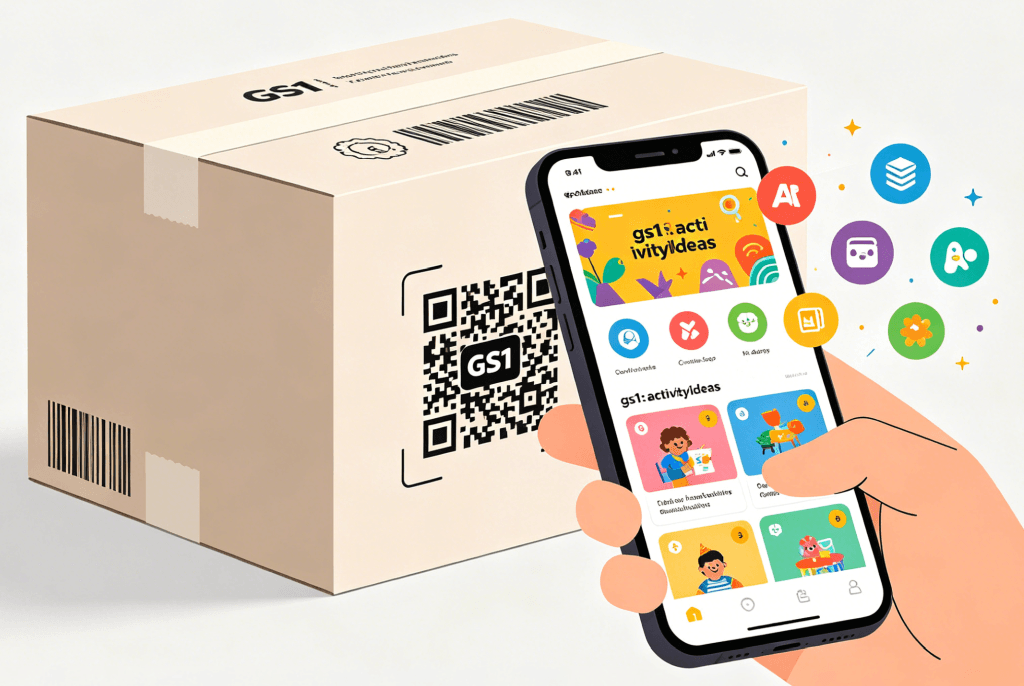
When a consumer scans a GS1 Digital Link QR code on a product package, the resolver can automatically direct the user to the brand’s official app download page, based on the requested link type parameter. This step converts the scanning action into an app installation or activation event, helping brands acquire digital touchpoints efficiently.
2.2 Seamless Brand Experience
In traditional models, promoting an app often required printing an extra QR code or a separate web address on packaging, causing visual clutter and increased design/compliance burdens. With gs1:appDownload, brands can use a unified GS1 Digital Link QR code on packaging and dynamically add the app download entry on top of the product identification. Whenever the app or its marketing campaign changes, brands only need to update the link target in the cloud backend – no need to reprint packaging.
2.3 Contextual Distribution for Functional Apps
gs1:appDownload is not limited to commercial app promotion. In industrial logistics, this link type can point to an internal app for verifying container seals or checking shipment information. In hospital pharmacies, it can direct to a scanning tool for verifying drug information. According to real‑world needs, gs1:appDownload enables fine‑grained mapping of different scenarios to appropriate apps, truly achieving “one code, multiple destinations”.
2.4 Reducing Printing and Compliance Costs
Brands no longer need to add extra QR codes or lengthy URLs on packaging to promote their apps or provide digital services. A single, unified GS1 Digital Link QR code can carry the app download entry, membership registration, user manuals, and more. This mechanism systematically simplifies packaging design, lowers printing costs, and reduces compliance overhead.
3. Typical Application Scenarios
Scenario 1: Consumer Brand Loyalty & Interactive Apps
A beverage brand launches a membership app that integrates points redemption, new‑product trials, and AR interactions. The brand prints GS1 Digital Link QR codes containing the gs1:appDownload link type on all product packaging. After purchase, consumers scan the code and are directly taken to the app download page. They can then register as members, allowing the brand to achieve precise conversion from offline purchasers to online users.
Scenario 2: Smart Home Appliance Companion Apps
A smart home brand prints GS1 Digital Link QR codes with gs1:appDownload on its air purifiers, smart mugs, and other products. After purchase, users scan the code and are automatically directed to the brand’s control app download page. Once downloaded, they can connect to the device, check status, and control it remotely – without needing to manually search for the app name, significantly lowering the usage barrier.
Scenario 3: Industrial Logistics and Professional Equipment
In industrial logistics, gs1:appDownload can point to an internal app for verifying container seals or validating shipment data. In medical device manufacturing, the code can be printed on equipment nameplates; technicians scan it to directly download the corresponding professional configuration or calibration app. This link type attaches industry‑specific tools to the physical identifier in a standardised way, enabling flexible distribution across platforms and scenarios.
Scenario 4: Hospital Pharmacies and Healthcare
In hospital pharmacy settings, gs1:appDownload can direct to a scanning tool app used for verifying drug information. Healthcare professionals scan the GS1 Digital Link QR code on drug packaging, then quickly download or open the dedicated verification app, improving the accuracy and efficiency of drug management.
4. Complete Usage Example for gs1:appDownload
The correct implementation of gs1:appDownload relies on the GS1 Digital Link Resolver mechanism. The QR code stores only a concise identifier (e.g., resolver domain + GTIN). When scanned, the resolver returns the most appropriate destination based on pre‑configured link data.
Resolver Configuration Example
Assume a brand wants to configure an app download entry for a smart mug with GTIN 06933960552835. The configuration data in the resolver backend would look like this:
{
  "anchor": "/01/06933960552835",
  "itemDescription": "Smart Eco Mug Pro",
  "defaultLinktype": "gs1:productInfo",
  "links": [
    {
      "linktype": "gs1:productInfo",
      "href": "https://www.example.com/product/12345",
      "title": "Product Details",
      "type": "text/html",
      "hreflang": ["zh-CN"],
      "context": ["general"]
    },
    {
      "linktype": "gs1:appDownload",
      "href": "https://apps.apple.com/cn/app/example-app/id123456789",
      "title": "Download Official App (iOS)",
      "type": "text/html",
      "hreflang": ["zh-CN"],
      "context": ["mobile", "ios"]
    },
    {
      "linktype": "gs1:appDownload",
      "href": "https://play.google.com/store/apps/details?id=com.example.app",
      "title": "Download Official App (Android)",
      "type": "text/html",
      "hreflang": ["zh-CN"],
      "context": ["mobile", "android"]
    }
  ]
}
Field Descriptions
| Field | Meaning |
|---|---|
anchor | The resolver’s routing anchor, corresponding to the GTIN. When a scan request hits this path, the resolver looks for matching link rules. |
defaultLinktype | The default fallback link type. If the resolver cannot match any specific condition, it redirects to this link (usually a general product page). |
links | The core array of rules. Multiple gs1:appDownload entries can be configured here. |
context | A key field for differentiating scenarios. For example, ["mobile", "ios"] and ["mobile", "android"] distinguish operating systems; the resolver can automatically redirect iOS users to the App Store and Android users to Google Play based on the HTTP User-Agent header. |
hreflang | Language adaptation. If the user comes from a zh-CN environment, the resolver returns the Simplified Chinese version of the page. |
href | The actual landing page. For gs1:appDownload, this must be the official app store download link (Universal Link or direct store URL). |
User Scanning Workflow
- Scan – The user scans the QR code on the product using a GS1‑compatible scanning tool (e.g., camera app, WeChat, or a brand‑owned app).
- Resolution – The scanning tool sends a request to the resolver. The resolver matches the most suitable
gs1:appDownloadlink based on request information (e.g.,User-Agent). - Redirect – The system automatically directs the user to the corresponding app store download page (iOS users to App Store, Android users to Google Play).
- Download – The user taps “Install” and completes the app installation.
Advantages of This Approach
- Concise QR codes – The QR code contains only the basic path (e.g.,
/01/06933960552835), making it smaller and more reliable to scan. - Dynamic distribution – The same QR code can send Android users to Google Play, iOS users to the App Store, and desktop users to the product website – something a static query‑string approach cannot achieve.
- Traceable data – The resolver backend can count clicks and conversions for each
gs1:appDownload, helping brands analyse app acquisition performance. - Instantly updatable – When the app download link changes, only the resolver backend data needs to be modified – no reprinting of packaging is required.
Summary
gs1:appDownload may seem simple, but it is an extremely valuable standardised link type within the GS1 Digital Link ecosystem. With its clear definition – a link to a related mobile app – it builds a standardised bridge between physical products and digital applications. For businesses, it systematically simplifies packaging design and lowers printing and compliance costs. For end‑users, it offers a seamless journey from offline scanning to online app interaction. Whether for consumer brand loyalty apps, smart device control software, or professional scanning tools in healthcare, gs1:appDownload provides a standardised, predictable, and traceable solution – an indispensable part of the GS1 Digital Link ecosystem.