
Multi-Scene Link Management
For a single GS1 identification key (such as GTIN, SSCC, GLN, etc.), you may configure targeted landing pages for different business scenarios across three core dimensions: business purpose (linkType), custom context (context), and language-region code (hreflang). This enables precise scenario-based redirection.
Explanation of the Three Dimensions
- linkType – Business Purpose A standardized system classification that defines the core business function of a link. Examples: product instruction manual, after-sales warranty, anti-counterfeit verification, recycling guidance, retail pricing page, supply chain traceability. Function: Specifies the intended use case for the link.
- context – Custom Scenario Custom subdivided scenarios created by enterprises, unrestricted by standard business purposes. Fixed English enumerations defined by GS1 standards:
consumer(end consumers),brand(internal brand use),regulator(regulatory authorities),service_center(after-sales repair centers), etc. Function: Distinguishes different channels or environments under the same business purpose. - hreflang – Language & Region Identifies the visitor’s country and language. Examples:
zh-CN(Simplified Chinese, Mainland China),en-US(American English),de-DE(German, Germany). Function: Automatically redirects users scanning from different regions to localized pages compliant with local regulations and language requirements.
End-to-End Implementation Example
For the same GTIN trade item code:
linkType = product information page+context = retail shelf+hreflang=zh-CN→ Redirects to domestic Simplified Chinese retail product pagelinkType = product information page+context = cross border ecommerce+hreflang=en-GB→ Redirects to UK English cross-border product detail pagelinkType = recycling guide+context = offline package scan+hreflang=zh-CN→ Redirects to domestic waste sorting & recycling page
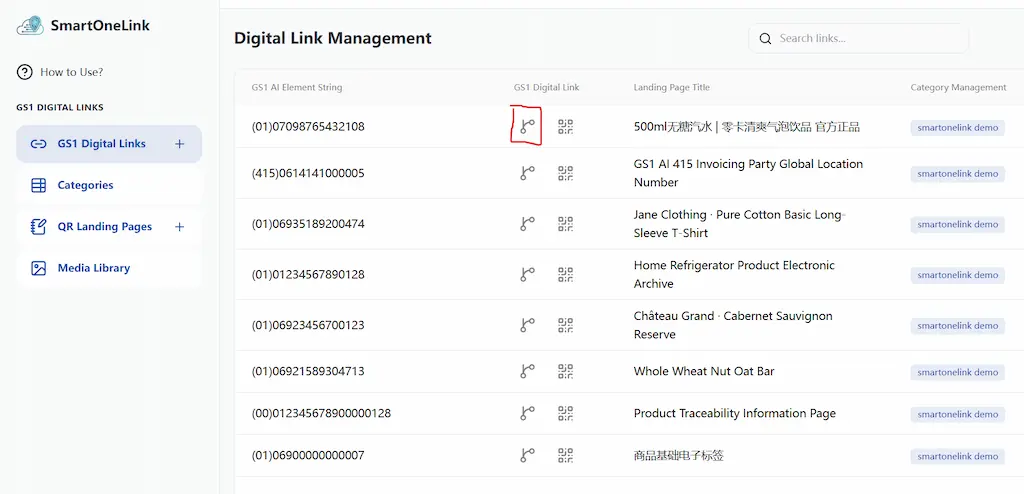
- Click the prompt icon shown above to enter the multi-scenario link configuration page.
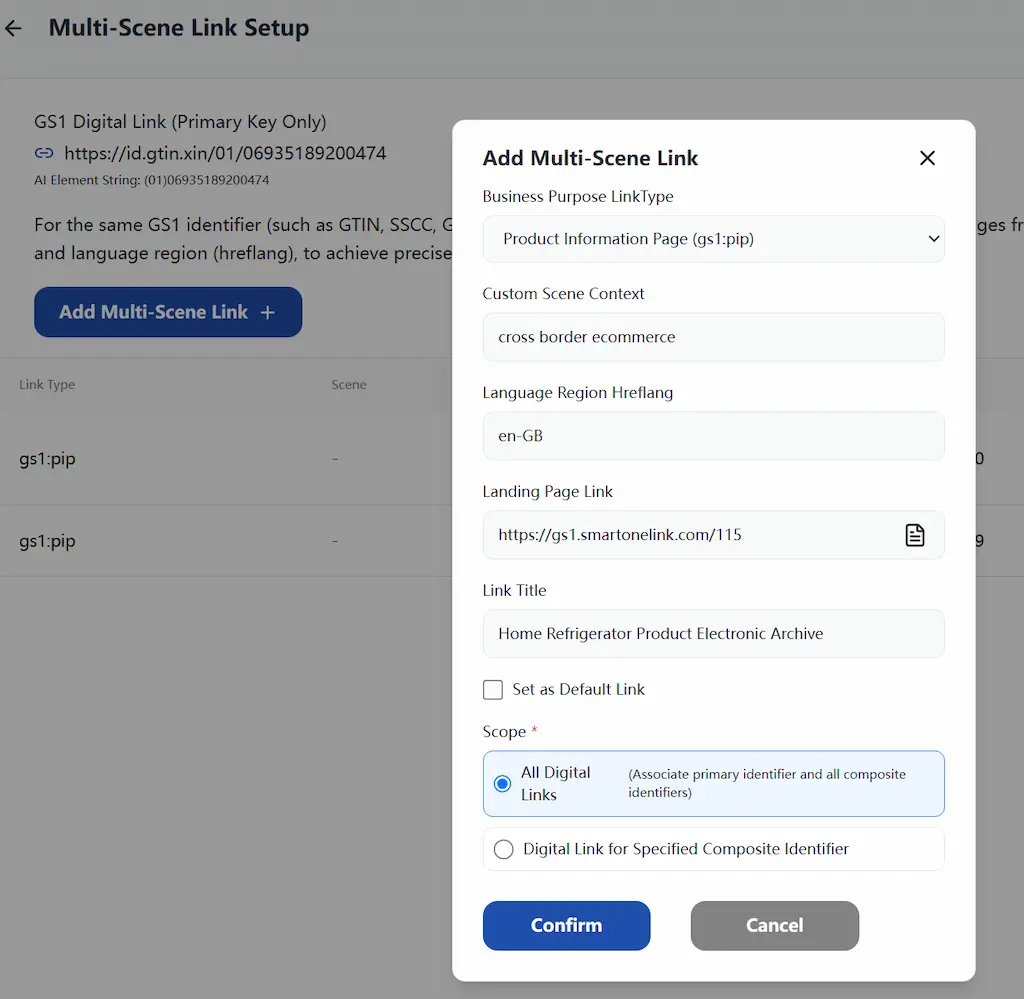
- Click the Add Link button to open the pop-up window as shown below.
- Fill in the three input fields: business purpose (
linkType), custom scenario (context), language-region code (hreflang). Then enter a target URL or select a pre-built landing page. Scope of Application: The newly added link can apply to all anchors or only specified anchors. - Click Confirm to finish link creation.
To edit or delete an existing link, click the three-dot menu on the right-hand side, then select Edit or Delete respectively.