1. What is gs1:eifu?
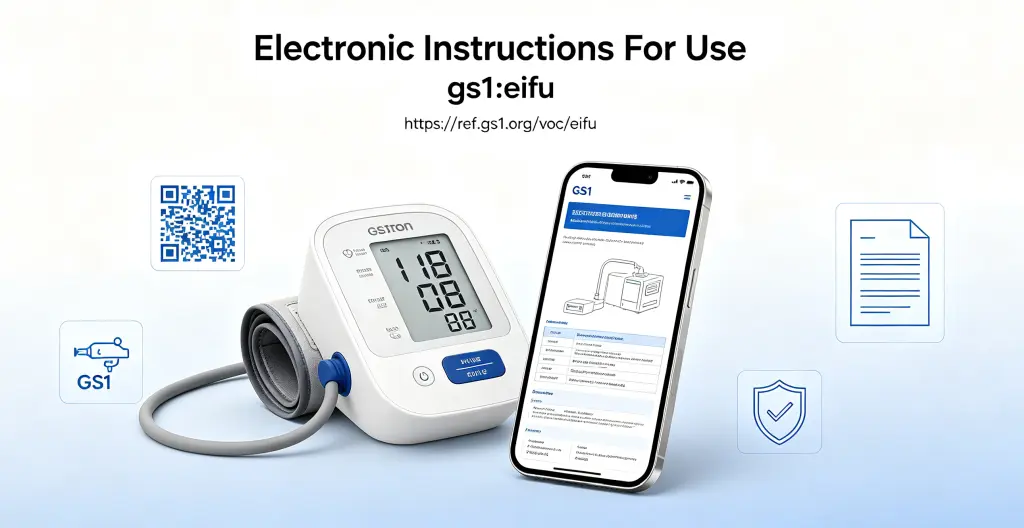
gs1:eifu is one of the standard link types in GS1 Digital Link, specifically designed to connect medical devices with their electronic Instructions for Use. According to the GS1 Web Vocabulary, it is defined as: “A link to electronic Instruction For Use instructions for Medical Devices.”
To understand gs1:eifu, you need to know two background concepts.
What is IFU?
IFU (Instructions For Use) is the technical information provided by medical device manufacturers that tells users the intended purpose, correct usage, and contraindications of a product. Traditionally, IFU comes as a paper leaflet included with the product.
What is eIFU?
eIFU stands for electronic Instructions for Use. It puts the traditional paper leaflet online, allowing users to scan a QR code on the product or visit a designated URL to access it.
gs1:eifu combines eIFU with the GS1 Digital Link standard — using a standardized QR code to bind a medical device’s Unique Device Identifier (UDI) with its electronic instructions, so scanning takes you directly to the correct instructions page.
Differences from Related Link Types
| Link Type | Applicable To | Content |
|---|---|---|
gs1:eifu | Medical devices | Electronic instructions for use (operation, safety, contraindications) |
gs1:epil | Pharmaceuticals | Electronic patient information leaflet (medication guide) |
gs1:pip | General products | Product details, specifications |
gs1:dpp | General products | Full lifecycle data (sustainability, materials, etc.) |
The distinguishing feature of gs1:eifu is that it directly serves the regulatory compliance needs of medical devices. It is the technical implementation method under regulatory frameworks such as the EU MDR and the US FDA UDI system.
2. Why Use It
2.1 Meeting Mandatory Global Medical Device Regulations
Electronic instructions are already permitted in the EU, but not without restrictions. Under Annex I, Section 23(f) of the EU Medical Device Regulation (MDR 2017/745), certain medical devices may use electronic instructions instead of paper versions.
In July 2025, the EU published Implementing Regulation (EU) 2025/1234, further expanding the scope of eIFU. The new rules extend eIFU applicability to all MDR medical devices and accessories intended for professional users, including products specified in MDR Annex XVI. For medical device companies exporting to the EU, gs1:eifu is a requirement.
In Japan, PMDA (Pharmaceuticals and Medical Devices Agency) has required professional medical devices and IVD products to use ePIL and eIFU since July 2023. Products that are not registered online or fail to redirect when scanned cannot clear customs or be used clinically.
2.2 One Code, Multiple Uses
One advantage of GS1 Digital Link is that a single code can serve different roles:
- Clinicians scan → access complete operating guides and safety information
- Patients or caregivers scan → access plain-language instructions and precautions
- Hospital procurement or quality departments scan → verify product compliance and certification documents
- Maintenance engineers scan → access maintenance manuals and troubleshooting guides
No need to print multiple QR codes on packaging or stuff in a thick stack of paper leaflets.
2.3 Information Always Up to Date
Traditional paper instructions are fixed once printed. If the product is upgraded, safety information is updated, or new contraindications are discovered, already-printed paper instructions cannot be modified.
With gs1:eifu, the code is fixed, but the content behind it can be updated at any time. During a product recall, safety alerts can be published through the same QR code within minutes. New operating guides, multilingual versions, video tutorials — all content syncs in real time, without reprinting packaging or recalling marketed products.
2.4 Multilingual Support and Accessibility
Paper instructions are limited by physical space and can usually only offer a few language versions. With gs1:eifu, companies can maintain dozens of language versions in the cloud. After scanning, the system automatically pushes the corresponding version based on the device’s language settings.
Electronic instructions can also include video, audio, and zoomable diagrams, helping users with visual or language impairments better understand the instructions.
2.5 Reducing Printing and Logistics Costs
For medical device companies selling across borders, the printing, translation, warehousing, and logistics costs of paper instructions are significant. With gs1:eifu:
- No need to print different language versions for each market
- No need to include a thick stack of paper documents in packaging
- No need to reprint and redistribute when instructions are updated
This saves costs and also reduces paper consumption and transportation carbon emissions.
3. Typical Use Cases
Use Case 1: High-End Medical Equipment — Multi-Role Information Distribution
Take the Swedish company Trionic as an example. The company sells rollators and mobility aids across Europe and uses GS1 Digital Link QR codes containing gs1:eifu on all its products.
After scanning, users can access:
- Operating instructions (automatically adapted to 28 European languages)
- Warranty terms and conditions
- Safety information and recall alerts
This QR code accompanies the product from manufacturing to end of life, serving as the entry point for all relevant information. If a product needs to be recalled, safety alerts can be published through the QR code within minutes.
This approach not only meets the EU MDR requirements for eIFU but also turns the compliance burden into customer value.
Use Case 2: Hospital Supply Chain — From Paper Stacks to Scan-and-Access
Large hospitals process thousands of medical devices daily. Under the traditional model, each device comes with a thick paper manual, making storage, retrieval, and updates cumbersome.
With gs1:eifu, hospital procurement departments, clinical engineers, and nursing staff can scan the QR code on the device to access:
- Device operating manuals
- Cleaning, disinfection, and sterilization instructions
- Declarations of Conformity (DoC) and CE certificates
- Maintenance and repair history
The same code works with both hospital scanners and smartphones, meeting the automation needs of the supply chain while also making it convenient for frontline staff to look up information at any time.
Use Case 3: Implantable Medical Devices — Long-Term Information Support for Patients
For implantable medical devices such as pacemakers and artificial joints, patients need lifelong access to information about usage restrictions, safety warnings, and follow-up requirements. Paper instructions are easily lost. With gs1:eifu:
- Patients can scan anytime to get the latest product information and safety alerts
- Doctors can scan during follow-up visits to view detailed device specifications and history
- In emergencies, first responders can scan to get critical device information and contraindications
Use Case 4: IVD Devices — Standardized Laboratory Operations
In vitro diagnostic (IVD) devices are used frequently in laboratory settings and require highly standardized operations. With gs1:eifu:
- Laboratory technicians scan to access Standard Operating Procedures (SOPs)
- Different reagent batches can be scanned to access corresponding instructions and expiration dates
- Quality control departments can scan to verify device calibration and certification status
This aligns with the regulatory direction of Japan’s PMDA, which has mandated eIFU for IVD products since July 2023.
4. Complete Configuration Example
Below is a JSON example of a medical device company configuring gs1:eifu link data in a GS1 resolver:
{
  "anchor": "/01/06901234567892/21/1234ABDE",
  "itemDescription": "ProVent Ventilator - Model V7",
  "defaultLinktype": "gs1:pip",
  "links": [
    {
      "linktype": "gs1:pip",
      "href": "https://www.example.com/product/provent-v7",
      "title": "Product Detail Page",
      "type": "text/html",
      "hreflang": ["zh-CN"],
      "context": ["general"]
    },
    {
      "linktype": "gs1:eifu",
      "href": "https://eifu.example.com/provent-v7/21/1234ABDE",
      "title": "Electronic Instructions for Use - Operating and Safety Guide",
      "type": "text/html",
      "hreflang": ["zh-CN"],
      "context": ["clinical", "operation"]
    },
    {
      "linktype": "gs1:eifu",
      "href": "https://eifu.example.com/en/provent-v7/21/1234ABDE",
      "title": "eIFU - Operating and Safety Instructions",
      "type": "text/html",
      "hreflang": ["en"],
      "context": ["clinical", "operation"]
    },
    {
      "linktype": "gs1:eifu",
      "href": "https://eifu.example.com/provent-v7/21/1234ABDE/maintenance",
      "title": "Maintenance and Care Manual",
      "type": "text/html",
      "hreflang": ["zh-CN"],
      "context": ["maintenance", "engineering"]
    }
  ]
}
Configuration Field Descriptions
| Field | Description |
|---|---|
anchor | The resolver’s routing anchor. 01/ is followed by the GTIN, 21/ by the serial number, enabling item-level precise identification |
defaultLinktype | Default fallback link type. Redirects when no specific condition is matched (usually the product detail page) |
links | Array of link rules; multiple entries can be configured |
linktype | Link type. Here it is gs1:eifu, indicating an electronic instructions for use link |
href | Landing page URL containing electronic instructions, operating guides, etc. |
title | Link title for display by the resolver or scanning tool |
type | Content type, usually text/html; PDF, video, and other formats are also supported |
hreflang | Language adaptation. Returns the corresponding language version based on device language preferences |
context | Context tags for granular distribution (e.g., distinguishing “clinical operation” from “engineering maintenance”) |
User Scanning Flow
- Scan: Clinicians, engineers, or patients use a GS1 Digital Link-compatible scanning tool (smartphone camera, dedicated hospital scanner, etc.) to scan the GS1 DataMatrix or QR code on the medical device.
- Resolve: The scanning tool sends a request to the GS1 resolver, which matches the appropriate link based on parameters (e.g.,
linkType=gs1:eifu). - Redirect: The user is directed to the product’s electronic instructions for use page.
- Access: The user browses operating guides, safety information, maintenance manuals, and other content.
Key Benefits
- Minimal QR code: The code only contains the base path (e.g.,
/01/06901234567892/21/1234ABDE); all instruction content is configured in the cloud. - Dynamic dispatch: The same code automatically returns the corresponding language version based on
hreflangand content for different roles based oncontext. - Always updatable: When instructions are updated, only the backend content needs to be changed — no need to reprint packaging or recall products.
- Multi-format support: HTML pages, PDF downloads, video tutorials, and other formats are all supported.
- Regulatory compliance: Meets eIFU requirements in major global markets including EU MDR (EU 2025/1234), Japan PMDA, and US FDA UDI.
- Data traceability: The resolver backend can track access data for each
gs1:eifulink.
Summary
gs1:eifu is the link type in the GS1 Digital Link system that directly serves medical device regulatory compliance. What it does is straightforward — it binds a medical device’s UDI with its electronic instructions in a single QR code, so scanning takes you directly to the correct instructions page.
The product information page answers “what is it?” — certification information answers “who approved it?” — gs1:eifu answers “how to use it” and “how to maintain it.” For medical device companies that need to meet EU MDR, Japan PMDA, or US FDA requirements, this is a link that needs to be set up, and it is also the way to put instruction digitization into practice.